-
![Profile picture]()
Hallo allemaal,
Kan iemand mij een stukje op weg helpen met de DMD2 navigatie van GPX bestanden?
Het lukt op geen enkele wijze om de DMD2 aan het navigeren te krijgen met GPX bestanden.
Naar de route toe navigeren lukt prima maar een route gestart krijgen op geen enkele wijze.
Heeft iemand een idee wat ik over het hoofd zie?3 Comments-
-
![Profile picture of Marco]()
Hallo, bedankt voor je antwoord. Wat vreemd dat je hem dan niet kunt laten navigeren dat is juist wat je wilt met dit toestel. Ik heb Komoot hiervoor gebruikt en dat werkte een stuk beter. Enkel de lijn volgen zonder pijlen of opmerkingen wanneer je af moet slaan naar hoeveel meter is toch ontzettend onhandig. Gr Marco
-
![Profile picture of Hansje]()
Hij navigeer wel op de goede manier. Eigelijk is dit ook mooi gemaakt door DMD2
Heb je een track laat hij alleen navigeer pijlen zien.
Heb je een route en staat deze bovenaan de lijst heb je navigeer pijlen met gesproken aanwijzingen.
Dit is wel afhankelijk van je instellingen.
Voor op de rijksweg gebruik ik google maps ivm rijbaan aanwijzingen.
Voor binnendoor rijden gebruik ik DMD2 navigatie.
Ik rij veel met geprogrammeerde routes (kurviger) met daaronder zichtbare tracks. Ik kopieert zowel de route als de track naar de DMD
-
-
-
-
I have now driven 2000km with the MD 865X and am starting to get more and more enthusiastic.
I drive a BMW F900XR tour motorcycle on public roads with Voice instructions in my helmet.I have 1 request whether it is possible to build an option in DMD2 to get less Voice instructions. Because there are a lot of them.
For example, with a programmed waypoint you get 3 notifications (900 meters before Just before and just after)thanks in advance
![]()
-
Hi, I have one question,
Today I made my first ride with the DMD T865 and DMD2.
Is there a manual how to start a track or route, I don’t drive off-road.
It only worked when I started with “Track end”, all other options wanted to send me back to the starting point.
1 Comment-
![Profile picture of João Pereira]()
When you say “i made my first track” what does that mean? Where did you make the track? Im assuming you created a GPX file somewhere and loaded it to DMD2 app correct?
If that is so, there is nothing to “start” it, you just go to wherever is the track or route start and then follow it.
If the track start is too far away you can start a navigation to the beginning of it: Tap GPX > Select the file you loaded > Tap “Tracks” or “Routes” (depending on the file content) and then select “Navigate to” to start navigation to the start… or simply press and hold on the map wherever is the start and a dialog shows where you can select “Navigate”.
-



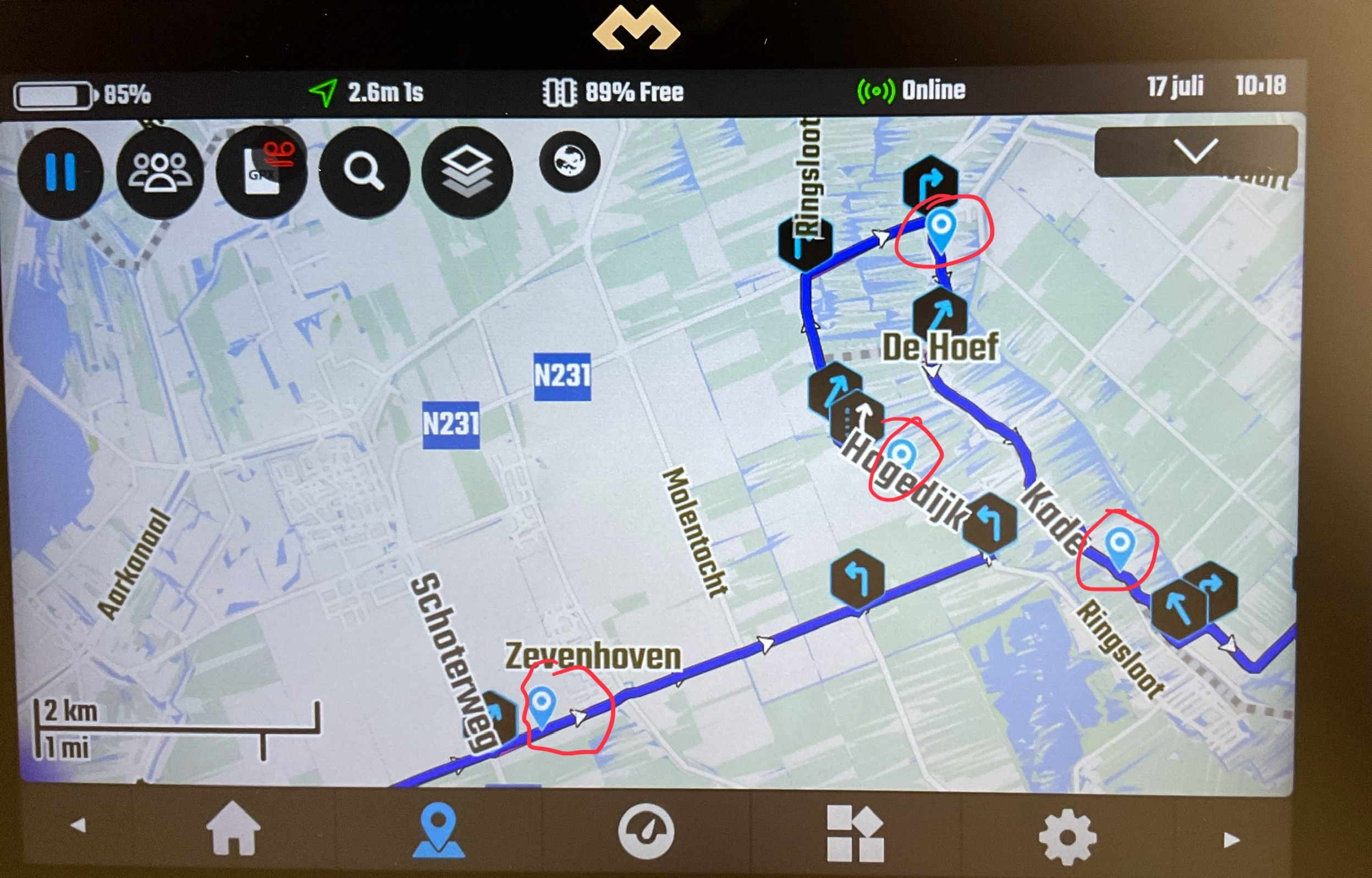




Deze vraag heb ik ook al een keer gesteld. Ik kon dit ook niet vinden.
Eigelijk is het antwoord wel mooi
When you say “i made my first track” what does that mean? Where did you make the track? Im assuming you created a GPX file somewhere and loaded it to DMD2 app correct?
If that is so, there is nothing to “start” it, you just go to wherever is the track or route start and then follow it.
If the track start is too far away you can start a navigation to the beginning of it: Tap GPX > Select the file you loaded > Tap “Tracks” or “Routes” (depending on the file content) and then select “Navigate to” to start navigation to the start… or simply press and hold on the map wherever is the start and a dialog shows where you can select “Navigate”.